When Should You Upgrade Your Business Software? Signs Your Existing System Needs Modernisation Through Custom Software Development

Published On - November 12, 2026

Monday morning is here, and your operations manager is stuck entering online orders into the accounting system manually again. Sales cannot check live stock and therefore gives a delivery date the warehouse can’t meet.
By Friday, customers have cancelled orders, and your best employee has started updating their CV.
On their own, none of these problems seems serious, but together they consume your time, money and human resources. At this point, many leaders start thinking about when to upgrade business software and whether custom software development is a sound investment.
It is more about spotting early warning signs and acting before an outdated system decides for you. Every week, any proficient custom software developer would encounter this image across many Australian SMEs.
So how can you tell that your system has reached that level?
The following blog gives you a list of signals to watch for.
Why Outdated Business Software Costs More Than You Think
Old software rarely fails in one dramatic moment. It slowly drains your budget through workarounds, patches and lost hours. This brings us to the problem: every innovation makes outdated business software more expensive and more outdated for a business undergoing growth and development.
Research reports have found that CIOs estimate technical debt at 20 to 40 per cent of the value of their entire technology estate. McKinsey calls the hidden expense of shortcuts and outdated code technical debt, which must be addressed later. In addition, McKinsey found that business owners pay an extra 10 to 20% on top of project costs because of technical debt.
7 Signs You Need New Business Software
Most enquiries for custom software development Australia-wide start with one of these signs you need new business software:
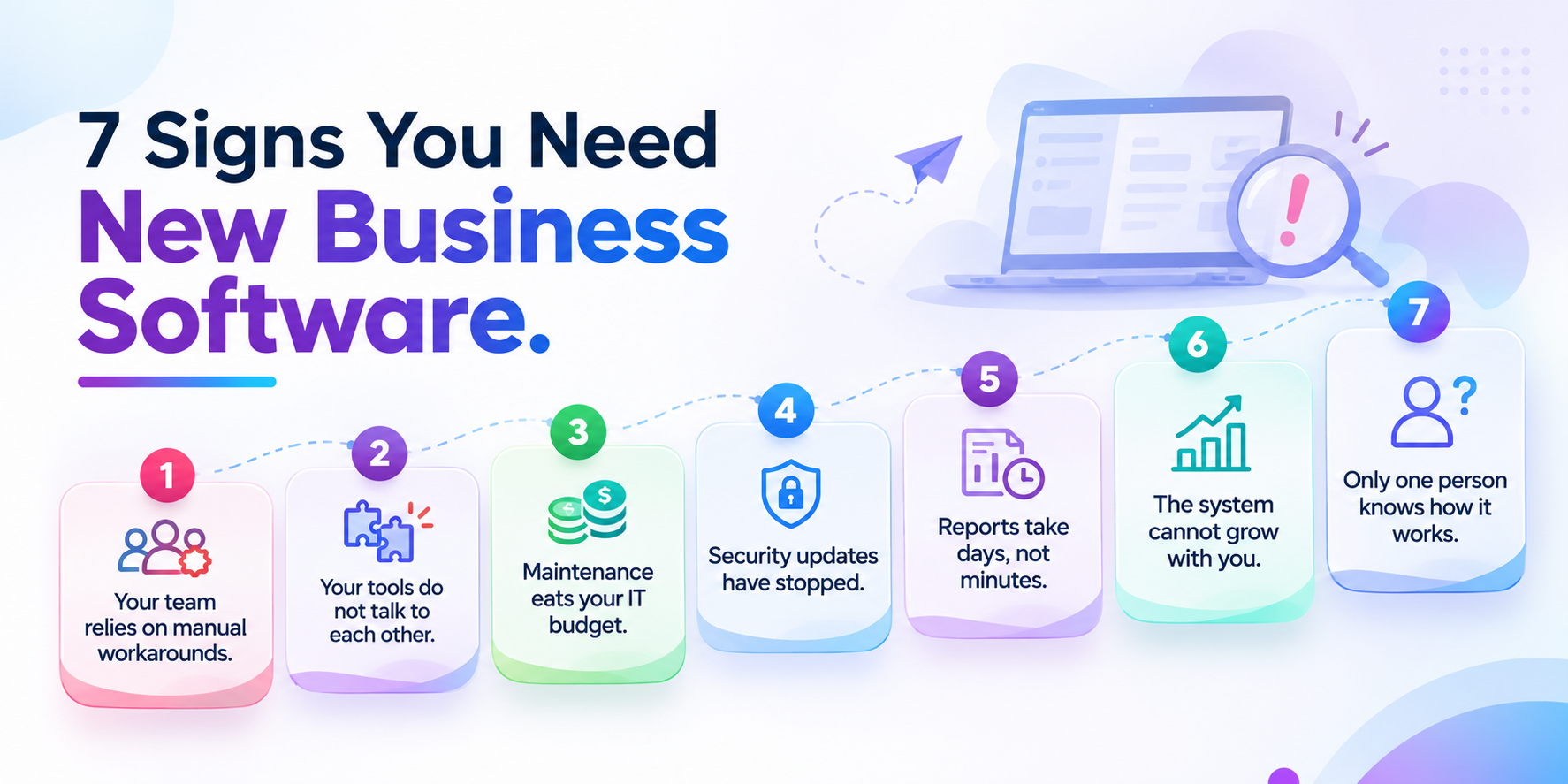
Your team relies on manual workarounds.
Staff copy data between spreadsheets and systems every day. Double entry also creates errors that cost time and money to fix.
Your tools do not talk to each other.
Poor business software modernisation and integration means sales, finance and operations work from different numbers. The same Pegasystems study found 37 per cent of IT leaders named disconnected systems as a major challenge.
Maintenance eats your IT budget.
When most of your spend goes to keeping old systems alive, little is left for improvement.
Security updates have stopped.
Software that no longer receives vendor patches leaves the door open to cyberattacks.
Reports take days, not minutes.
Leaders cannot make fast decisions when data arrives late or needs cleaning first.
The system cannot grow with you.
Adding users, locations, or product lines should not require a rebuild. Good business software modernisation for growing businesses scales with demand.
Only one person knows how it works.
If a single developer holds all the knowledge, you carry a serious business risk.
The right path depends on cost, risk and how unique your operations are. An honest partner will also tell you when you do not need a custom build. If three or more of these sound familiar, it is time for a proper review.

Not sure which signs apply to you?
Get a clear, honest view of your current system.
The Prerequisites of Modern Business Software
The benefits of modern business software go well beyond a nicer screen. You get real-time data, so managers act on live numbers instead of old reports. You get automation, which removes repetitive tasks and the errors that come with them.
Most importantly, modern or custom business software gives you room to grow. You can add new products, staff, or locations without starting over. You also get stronger security, because modern platforms receive regular patches. Here are the prerequisites of modern business software to note:
Upgrade, Replace or Build: Choosing the Right Path
Not every old system needs to go. Legacy software modernisation usually takes one of three forms.
Upgrade What You Have
If the core system is sound, an upgrade or extension may close the gaps. This is often the lowest-risk option.
Replace With an Off-the-Shelf Product
Replacing business software with a packaged tool suits businesses whose processes match what the market offers. The trade-off is that you adjust your processes to fit the software.
Build Custom Business Software
When your processes are your competitive edge, custom business software fits the way you work. A custom software development company can also connect it to the tools you already rely on. This option costs more up front, but it removes the licence limits and workarounds that slow you down.
Before committing your budget to business software for growing businesses, you and your management team must follow the business software upgrade checklist. First, identify the business problem and document the three main issues with the current system. Secondly, identify the true cost of the current system (including licenses, maintenance, workarounds and employee work hours).
Assess data quality, as it is vital for efficient, cost-effective operations. Plan for business software integration, as it will connect with other business tools. Don’t forget to plan for the limited implementation so the business can continue operating.
Conclusion: Fix the Leaks with GetaProgrammer Before They Grow
A custom software development company is more than just a service that writes code. A capable partner helps you decide what to develop, what to keep, and what to buy for your business. GetAProgrammer works with small and midsize companies, typically integrating their needs into their systems. Their method includes reviewing your workflows, data, and growth objectives before designing software from scratch.
Business owners comparing custom software development Australia should consider local factors. If your software provider understands Australian compliance requirements, local currency, and related business processes, you will not need to redo work later, saving costs. An outdated system does not just crash suddenly. Instead, it costs you money, time, and opportunities every day.
Identify the signs early. Next, choose the option that best fits your business software modernisation. That might be a replacement, an upgrade, or custom software development tailored to your business. To keep your staff producing, phase the transition. You don’t have to make this call alone. GetAProgrammer specialises in developing unique software that is robust for Australian SMEs. The group identifies vulnerabilities in your current systems and addresses them in an organised way.
In one short session with GetAProgrammer, you will see what to fix first, what to keep and what it may cost.
Every month you wait is another month of avoidable workarounds.
Frequently Asked Questions
Q. When should you upgrade business software?
Upgrade when your software slows your team down, blocks new tools or costs more to maintain than it returns. Waiting for a total failure usually makes the move more expensive.
Q. What are the most common signs you need new business software?
Manual data entry, disconnected tools, slow reporting, missing security updates and heavy reliance on one person are the most common warning signs.
Q. Is legacy software modernisation cheaper than a full replacement?
Often, yes. Modernising the parts that cause the most pain can deliver quick wins at lower risk. Full business software replacement makes sense when the core system can no longer support the business.
Q. How long does custom software development take?
It depends on scope. A focused piece of custom business software or an integration can take weeks, while a larger platform may take several months. A phased approach delivers value sooner.


